



GOOGLE AD GROUPS
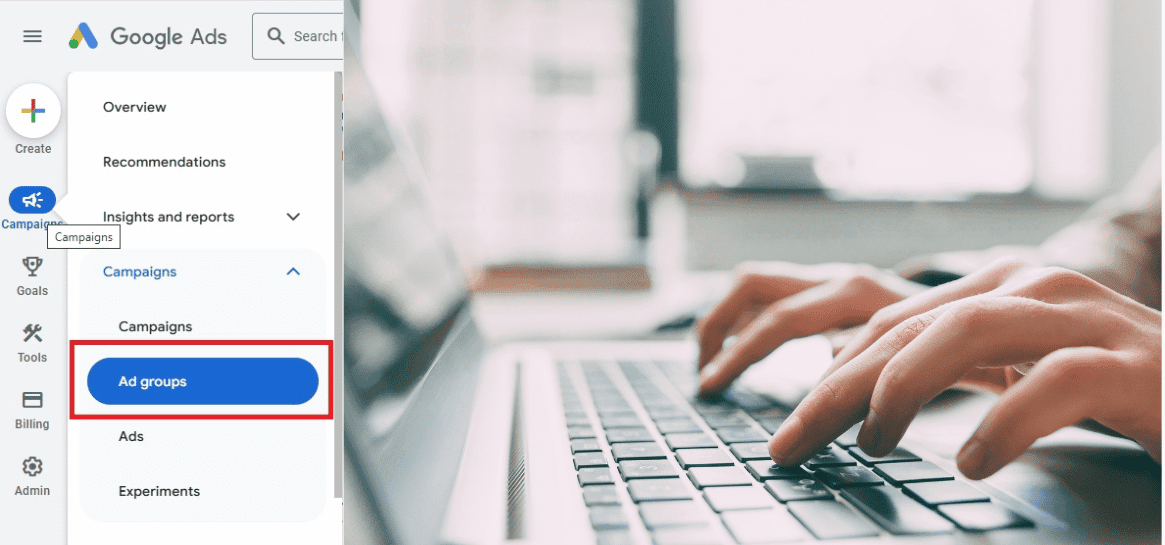

WHAT ARE GOOGLE AD GROUPS
• Google Ad Groups are created right after setting up a Google Ad Campaign.
• Google Ad Groups is section where you specify the following details:
1. Create Advert (Titles, Descriptions, URL)
2. Specify keywords (Exact, Phrase, Broad)
3. Target audiences (Demographics groups, Interests, behaviour)
4. implement bid amounts (Impressions, Clicks, Conversions)
• Each Google Ad Group should cover one product or service to ensure you target the right audience.
• Google Ad Groups provides statistics about the performance of your ads so you can make constant improvements.

FUNCTIONS OF AD GROUPS
Here are the 4 main functions of building Google Ad Groups:

BUILD ADS

1. It is where you construct responsive ads, which allows you to enter 15 titles and four descriptions.
2. Add logos, images, videos, and Ad Assets of your business here.
3. Google uses Ad Rotation to find your best-performing.
4. The Ad strength meter will estimate the effectiveness of your ads considering all the information you provided.

AD STRENGTH METER DISPLAYS THE FOLLOWING:
• Poor
• Average
• Good
• Excellent (Always aim for an ‘excellent’ score)

SPECIFY KEYWORDS
1. This is where you specify which keywords to target for your ads.
2. You should pick between 5 and 20 relevant keywords here.
3. Your keywords should be mentioned in your Ad title and Ad description to improve your Quality Score and Ad positions.
4. The ‘Keyword Match Types’ decide which searches activates your ads.
HERE ARE THE FOLLOWING MATCH TYPES:
• Broad match keywords (Uses AI Integration)
Targets the biggest audience by showing all ads related to the keyword you specified.
EG: If you enter the keyword ‘SEO’, it will return all variations of marketing, ” online courses, video advertising, Google agency”
• Phrase match keywords
Still targets a wide audience by showing ads very closely related to the term you specified.
EG: If you enter the keyword ‘SEO Agency’, it will return close variations, ” SEO Company, SEO Services, SEO Firm”
• Exact match keywords
Targets an specific audience by showing ads exactly like the keyword you specified.
EG: If you enter the keyword ” SEO Company Johannesburg”, it willl return the exact term, ” SEO Company Johannesburg”

TARGET AUDIENCE
1. This is where you decide which audiences you want to target based on their interests, behaviour, age, gender and income.
2. Selecting the right audiences saves your budget on wasted clicks.
Eg: If you are selling nappies, you dont want to target young audiences that do not have children.
HERE ARE THE FOLLOWING AUDIENCE TYPES:
1. Affinity Audiences
(Target People with general interests and lifestyle)
2. In-Market Audiences
(Target People who are ready to purchase)
3. Custom Audiences
(Target your Own Audience based on websites and keywords)
4. Remarketing
(Target People who have already interacted with your website)
5. Customer Match
(Uploaded lists of people’s emails and contact numbers to show ads to)
6. Similar Audiences
(Targets people similar to your existing customers)

BIDDING
1. This is where you decide how much you want to pay for a click.
2. Google Ads uses bidding systems where the advertisers bid for keywords.
3. The highest bidder does not always get the Top Spots; however, bidding high does help obtain better positions.
THERE ARE TWO TYPES OF BIDDING
1. Manual Bidding
(You manually bid yourself, giving you maximum control)
2. Automated Bidding
(Google automatically bids for you based on your specified goals)